
Tesla makes a genuinely brilliant car. It also never stops talking to the internet. Every journey is logged, every charging session reported, your location, speed, and battery state all flowing back to Tesla’s servers in real time, whether you want it to or not. There’s no hardware off switch. The software airplane mode is buried in menus, requires you to dig into the touchscreen, and critically, Tesla can re-enable it remotely through an over-the-air update. CarCloak is my attempt to fix that: a simple hardware device that cuts your Tesla’s internet connection at the press of a button, with zero software dependency.
This is Part 1 of what will be a multi-part series documenting the build. The hardware isn’t finished yet. This post covers the problem, the architecture research, the dead-ends, and where things stand today.
The Problem: Tesla Is Always Connected
Tesla vehicles are permanently online via an embedded LTE/5G modem and Wi-Fi radio, housed in a module called the Telematics Control Unit (TCU). This isn’t optional hardware; it’s baked into the car’s architecture. The TCU handles real-time telemetry to Tesla’s servers (speed, location, energy usage, fault codes), over-the-air firmware updates, remote commands via the Tesla app, and in-car streaming services.
There are legitimate reasons someone might want all of this to stop: privacy concerns, driving in sensitive locations, or simply not wanting your daily movements archived indefinitely in someone else’s data centre. The software “airplane mode” in Tesla’s UI provides minimal reassurance. It’s a setting Tesla controls, not you.
The Goal
A single button in the cabin. Press it: the car goes dark. No LTE, no Wi-Fi, no cloud connectivity. Press it again: back online within a few seconds. No touchscreen interaction, no Tesla account required, no software that can be quietly reversed by an OTA update.
Critically, the goal is to preserve everything else: Bluetooth phone key, A2B audio (music, turn signal chimes, navigation voice), and normal driving. The mod needs to be fully reversible. Unplug the device and the car is bone stock.
The project is open source. The design, code, and schematics will all be available at https://github.com/Aristocles/CarCloak, free for anyone to replicate. No board-level surgery or sealed-unit mods required. If you have basic soldering skills, you should be able to build this.
The Car: 2024 Tesla Model 3 Performance (Highland)
The 2024 Model 3 Performance (codenamed “Highland”) is a significant hardware revision from previous generations. When I first planned this project about a year earlier, I assumed the architecture would be similar to older Model 3 variants: a cellular modem inside the main computer with external antenna pigtails using FAKRA connectors. The original plan was straightforward. Splice RF SPDT switches into those pigtails, route them to 50-ohm dummy loads when cloaked. Simple, surgical, effective.
Opening the headliner revealed something completely different.
The TCU Gen II: Everything in One Box
On Highland, Tesla moved the cellular modem out of the MCU entirely and into a dedicated sealed module: the TCU Gen II. This unit contains the 5G modem (Quectel AG555QGL), Wi-Fi radio, Bluetooth radio, and integrated antennas, all in one enclosure. The gold structures on either end of the TCU aren’t connectors. They’re the MIMO antennas themselves, built directly into the housing.
The TCU connects to the rest of the car via just two harness connectors:
- 1000BASE-T1 automotive Ethernet: the data link to the main computer (MCU)
- 12V power + A2B audio bus: power feed and digital audio routing
No external RF pigtails. No FAKRA connectors to tap. The original antenna-switching plan was dead on arrival for this car.
Dead-Ends and Pivots
Option A: Cut Power to the TCU
The obvious fallback: interrupt the 12V supply with a relay. Simple, guaranteed to kill all RF. The problem is that the TCU doesn’t only handle internet connectivity. It also manages Bluetooth audio via the A2B (Analog Devices Audio Bus) bus. Kill the TCU and you lose music, turn signal chimes, navigation voice, and the Bluetooth phone key. For a daily driver, that’s a non-starter.
Option B: Open the TCU and Switch Internally
Research into the Highland TCU internals revealed that the case is held on by latches rather than glue or ultrasonic welding. It can be opened. The board has separate modules for LTE/5G, Wi-Fi, and Bluetooth. In principle, you could open the unit, identify the antenna feed traces, and splice RF switches in there. Surgical, effective, and a true RF cloak.
The reason this route is out: it puts a permanent modification inside a sealed module, requires PCB-level work, and makes the project impossible to replicate without specialist tools. The goal is something anyone can build. Board-level surgery on a $1,500 module doesn’t qualify.
v1 Prototype: RF Signal Sink (Built, Then Superseded)
Before landing on the Ethernet cut approach, I actually built a working v1 prototype. This version used a master and slave unit communicating over BLE via ESP32 modules, designed to enable a relay that would sink the RF signals from the TCU. The master and slave units were functional and communicating reliably.
However, once the research pointed to the Ethernet cut as a cleaner solution, the whole design simplified dramatically. Instead of managing RF signals and relay switching across two coordinated units, a single inline Ethernet break achieves the same result with far less complexity. The v1 was a valuable learning exercise, but the Ethernet approach is the path forward.
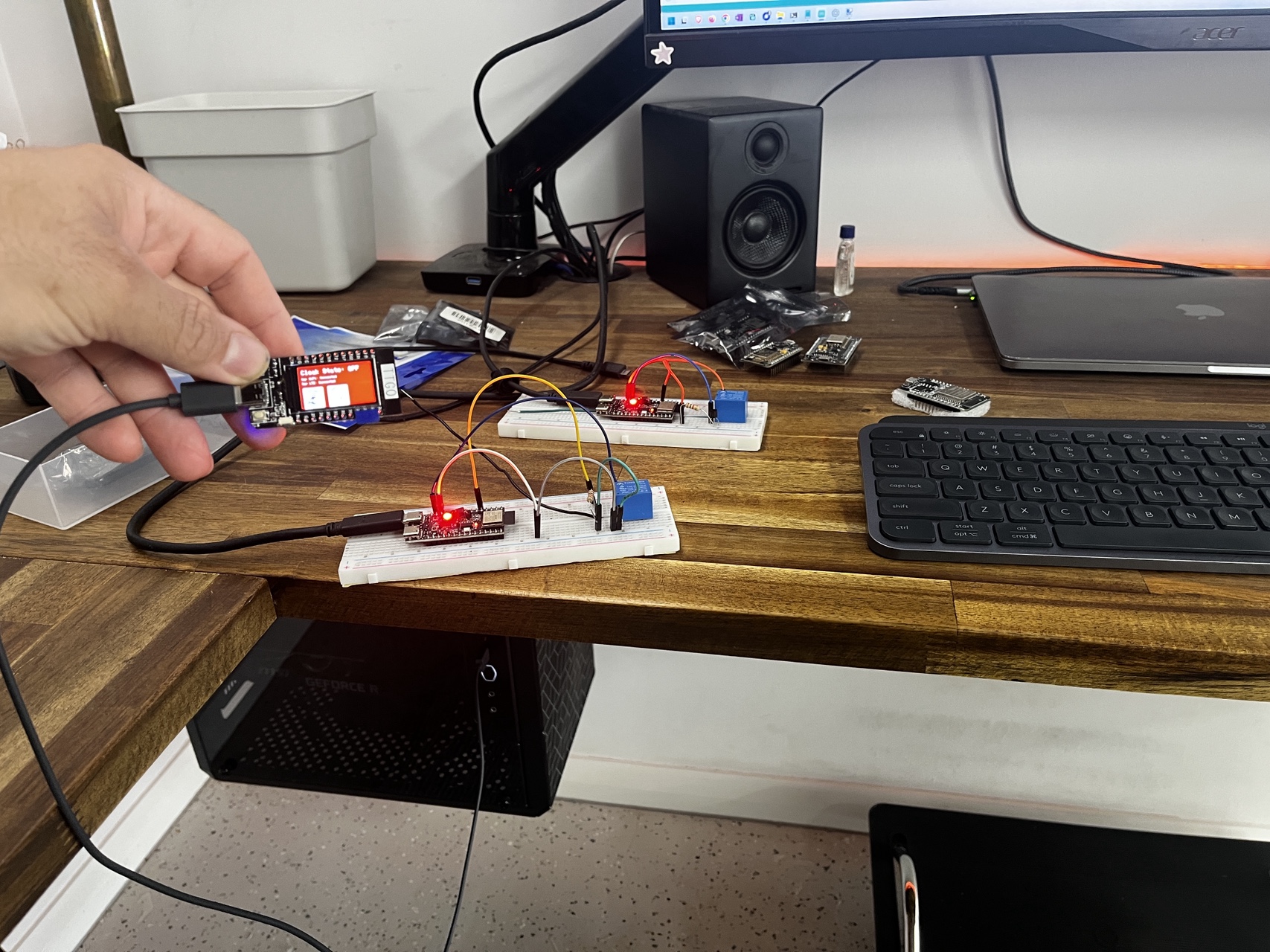
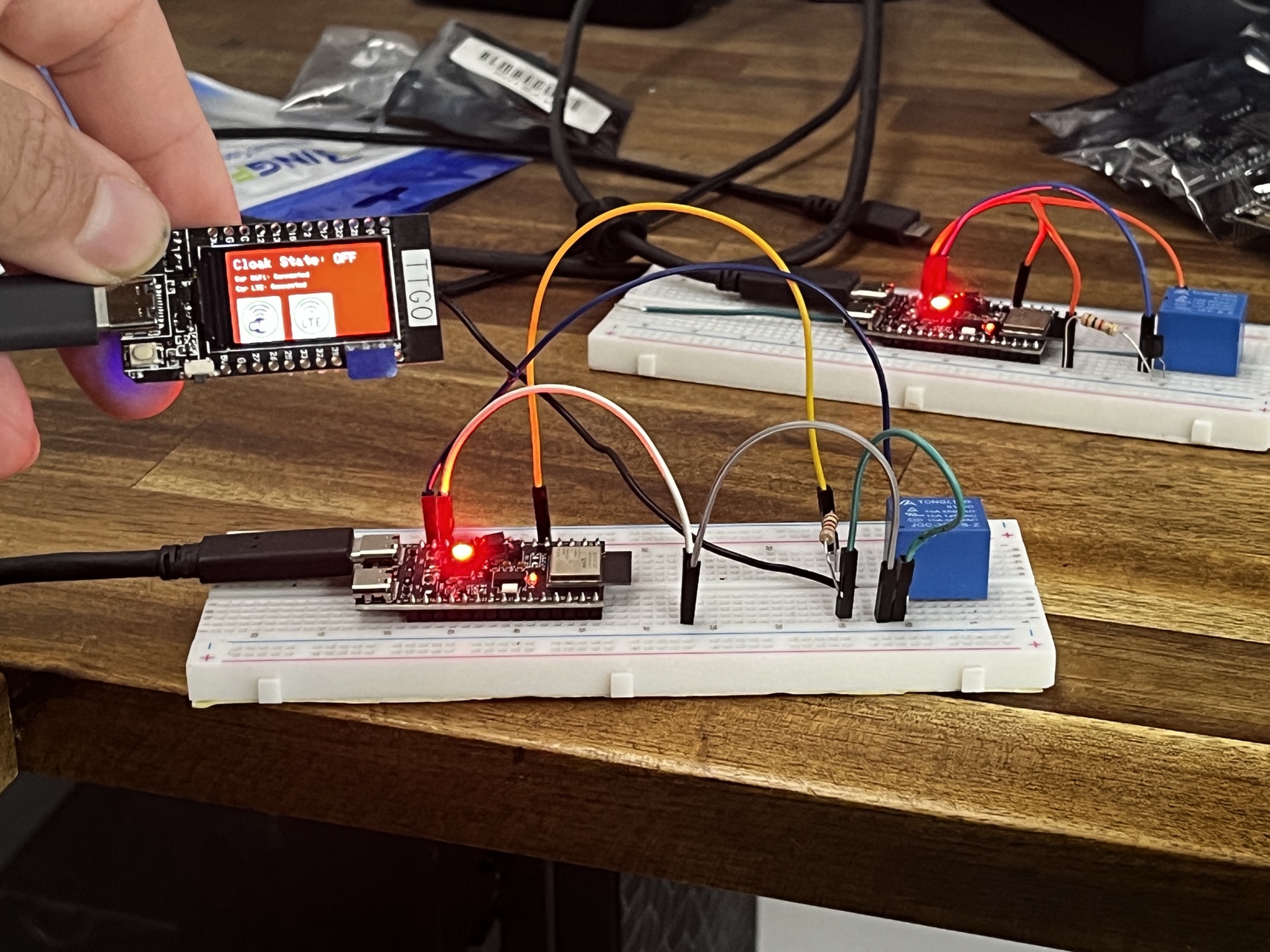
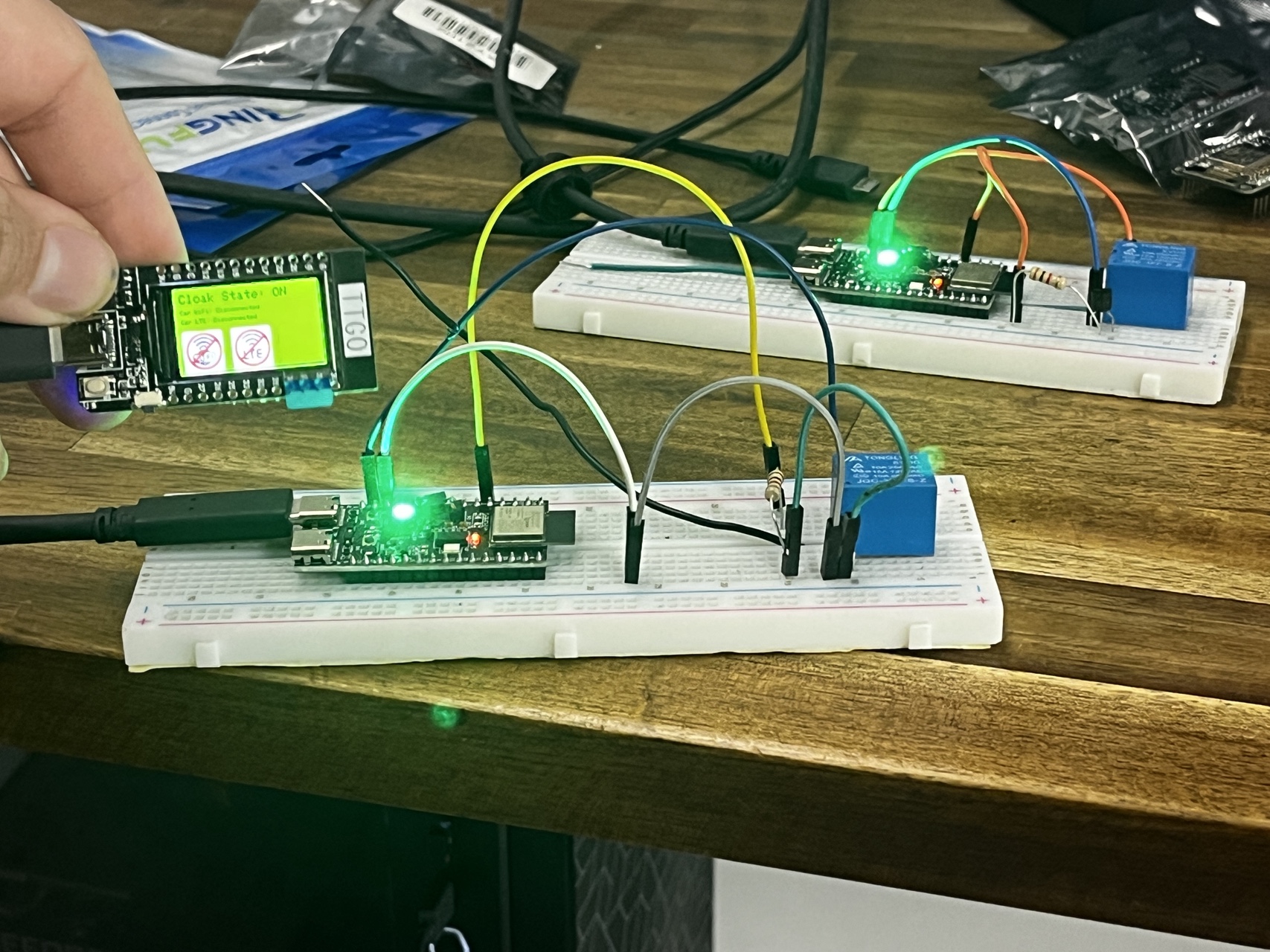
CarCloak v1 in Action
The Approach That Works: Cut the Ethernet
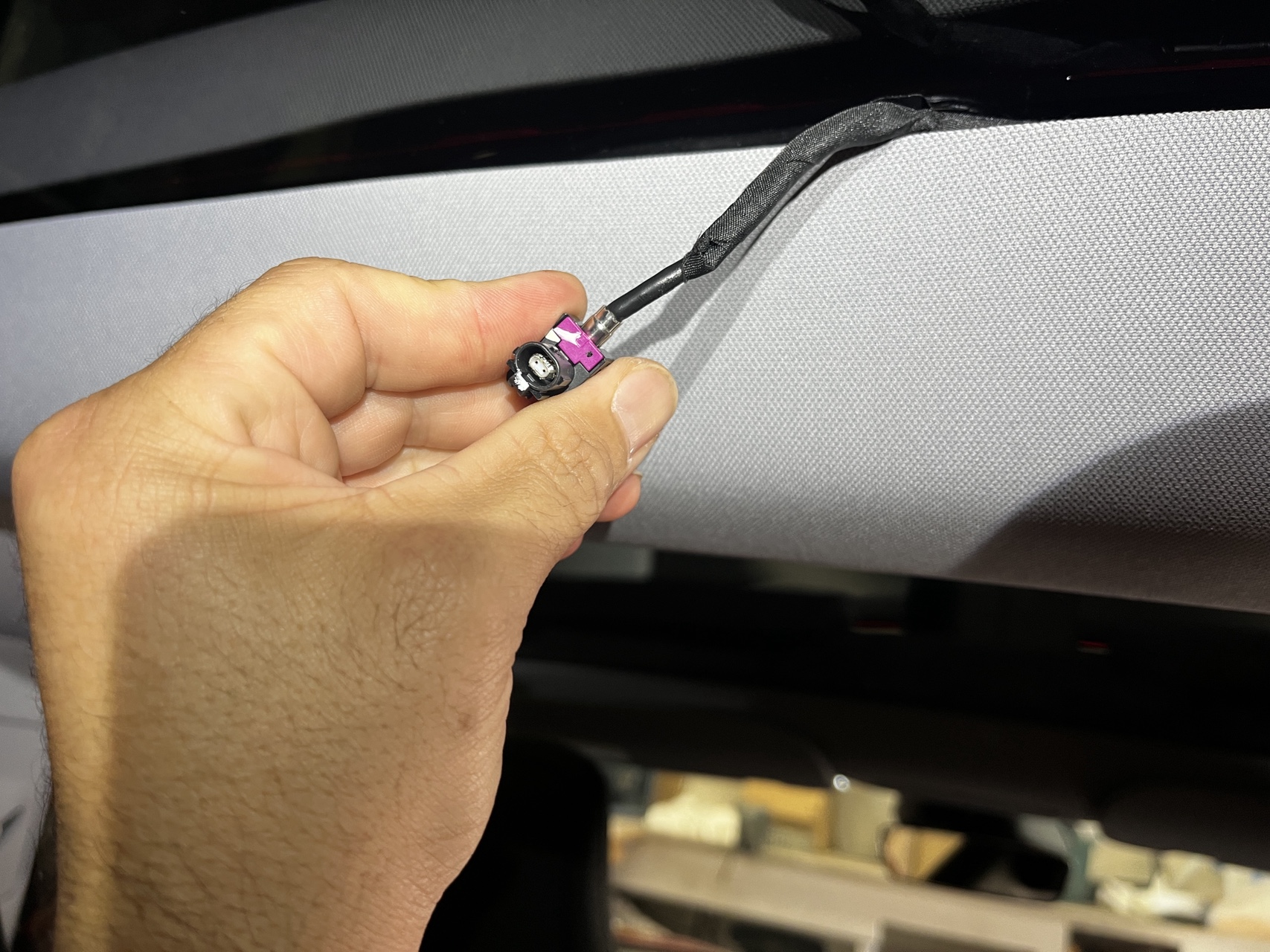
After digging through the TCU wiring documentation and studying the connector pinouts, it became clear that the 1000BASE-T1 Ethernet link is dedicated to internet data: WiFi, LTE, and TCU control traffic. The A2B audio bus and Bluetooth travel on a completely separate connector (the power/A2B harness), independent of the Ethernet link.
That’s the key insight. Cut the Ethernet, and from the car’s perspective it’s simply driven into a dead zone – the same state it enters in a tunnel or underground car park. Bluetooth still works. A2B audio still works. Phone key works. Music plays. The car just can’t call home.
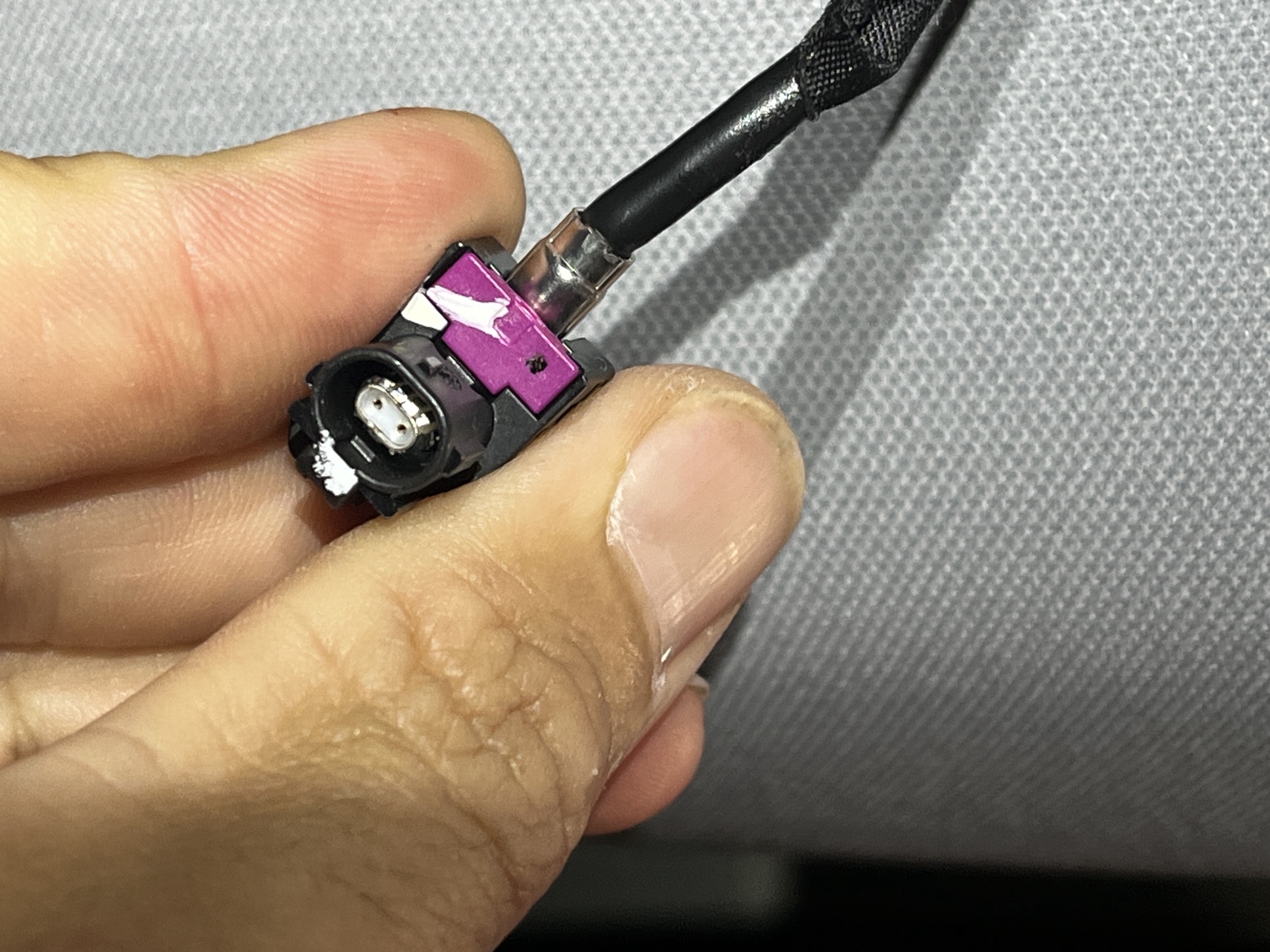
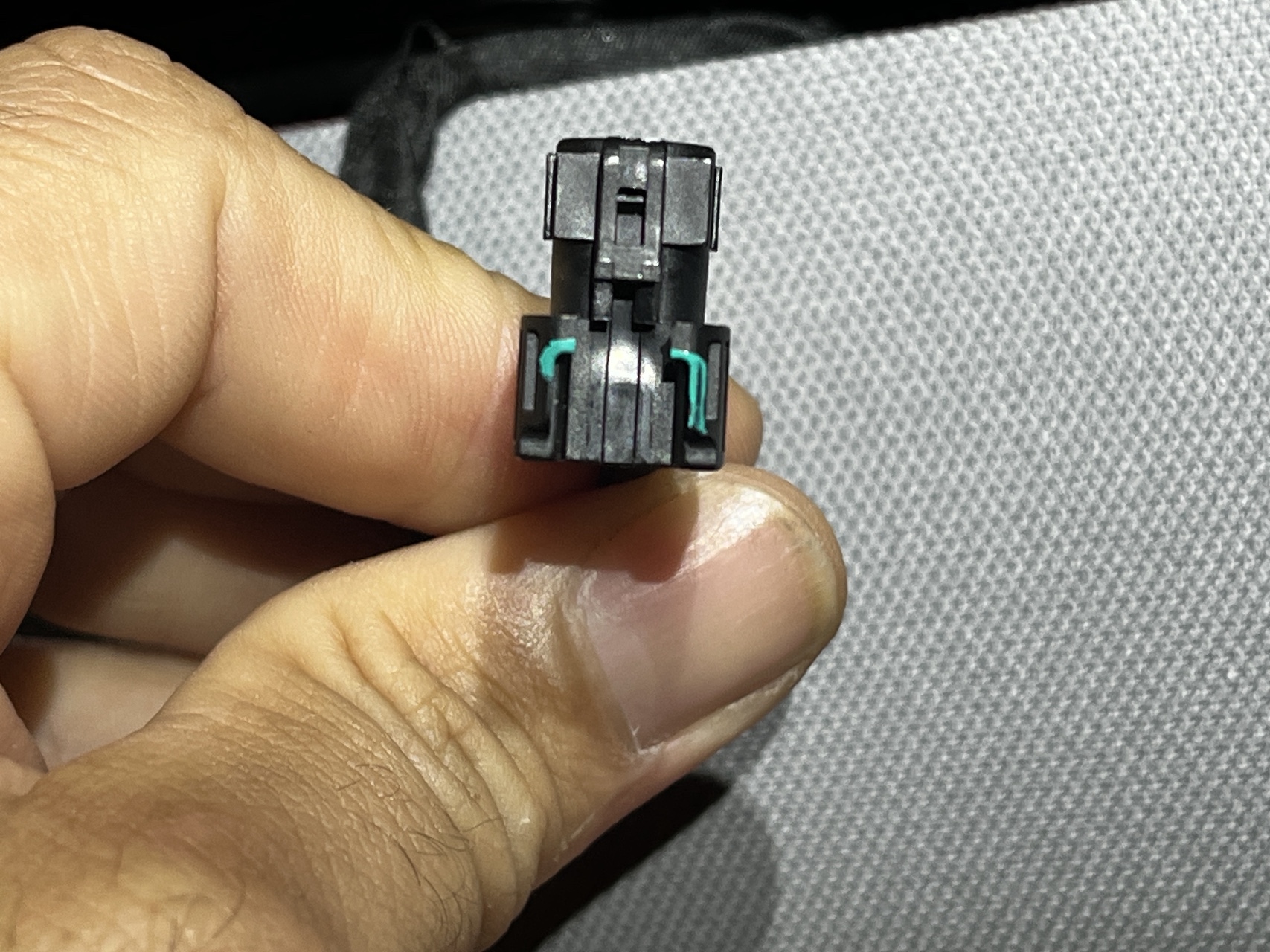
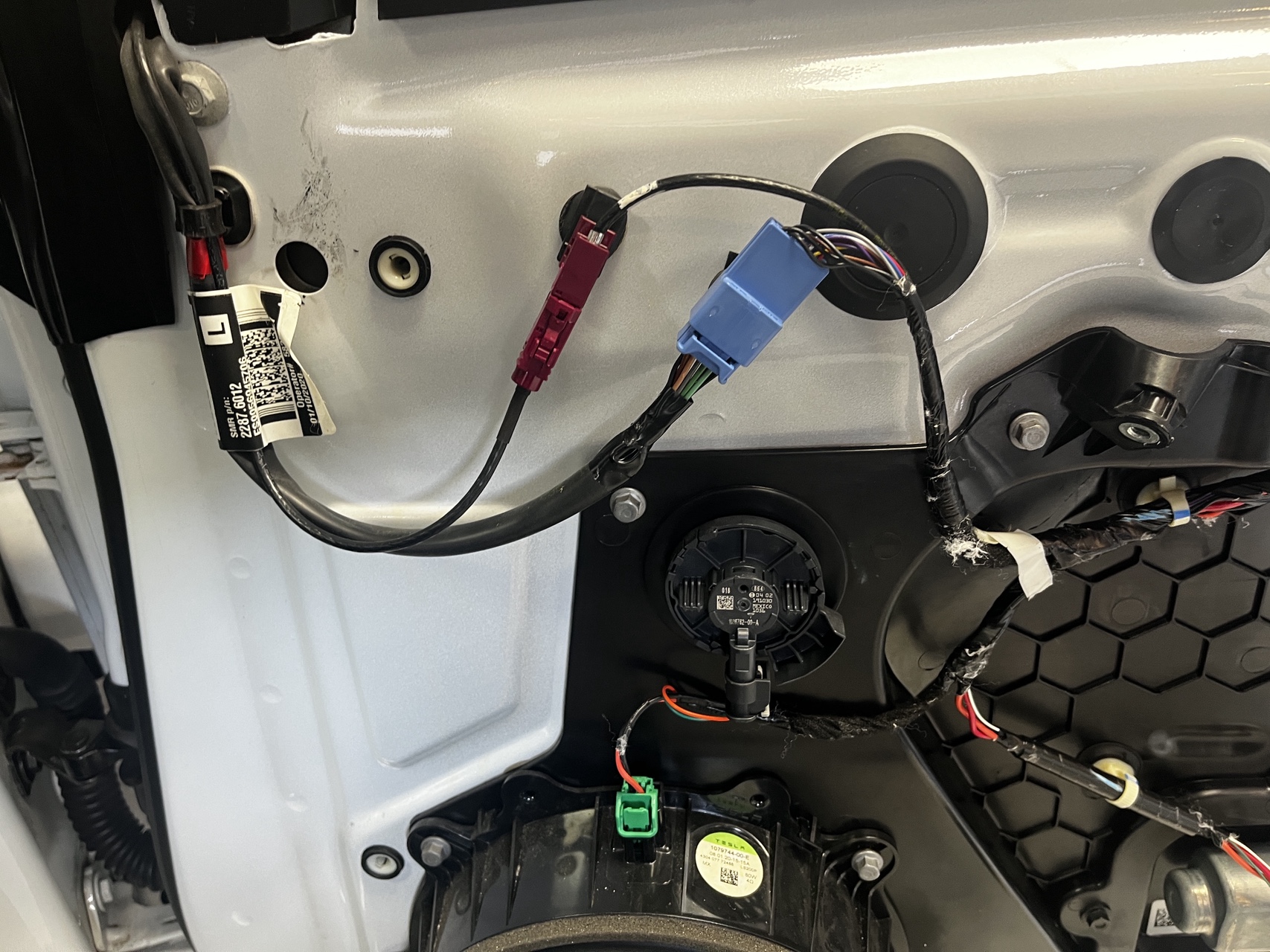
The Design: An Inline Ethernet Pod
The hardware concept is an inline device that sits between the Tesla harness and the TCU’s Ethernet connector. Two H-MTD automotive Ethernet connectors (one male, one female to mate with the existing harness), a solid-state switch in the middle controlled by an ESP32, and a button in the cabin to toggle it.
1000BASE-T1 is a single twisted pair running full duplex at 1 Gbps. Unlike standard Ethernet, there are no separate TX and RX wires to selectively cut. Both directions share the same two-wire differential pair. Interrupt either wire in the pair and both directions go down simultaneously. This is actually simpler from a switching standpoint: one SPST switch kills the link entirely.
The catch is signal integrity. 1000BASE-T1 runs at 750 MHz symbol rate. A standard mechanical relay would introduce impedance discontinuities that would prevent the link from establishing at all. The pod needs a solid-state switch rated for gigabit-class signals. Options under consideration include a Pickering 111RF reed relay (RF-grade, through-hole, 1.5 GHz rated) or a silicon analog switch (TI TS3DV642, differential, rated to 3.6 GHz). The PCB routing needs controlled 100-ohm differential impedance, which means a proper 4-layer board from somewhere like JLCPCB rather than perfboard.
Two ESP32 microcontrollers handle the control logic: one in the headliner near the TCU to drive the switch, one in the cabin for the button and LED indicator. They communicate over BLE. The headliner ESP draws power from a tap on the TCU’s 12V supply via a small buck converter. Default state is “connected”. If the ESP loses power or fails, the car goes back online automatically. A physical bypass toggle on the pod itself gives a last-resort fallback.
Under Australian Consumer Law (ACL), inserting a removable inline device doesn’t void your warranty. Tesla would need to demonstrate a specific causal link between the mod and any particular fault to refuse a claim. Before any service visit: unplug the pod, plug the original harness back in, and the car is factory stock. Tesla’s own diagnostic logs might show “TCU Ethernet link lost” events, but the same events occur naturally every time the car enters a tunnel or dead zone.
What’s Next: Bench Testing
The research and design phase is done. The approach is confirmed. What’s needed now is bench validation before anything goes near the actual car.
1000BASE-T1 uses the H-MTD automotive connector (Rosenberger), which is completely incompatible with standard RJ45 Ethernet. To test the pod on the bench, you need media converters that bridge 1000BASE-T1 to standard Gigabit Ethernet. The Innomaker 1000BASE-T1-TX converters use the same TI DP83TG720 PHY chip as the actual car and are the most cost-effective option for hobbyist bench work at around $70 USD each. Two of these, two Raspberry Pis, and a bench test rig will let me verify the link establishes through the pod, drops cleanly when the switch opens, and recovers when it closes, before I touch the headliner with anything connected.
Beyond bench testing, the next hurdle is finding a suitable power source in the headliner for the pod. The device needs a clean, switched power rail that’s accessible where the TCU wiring runs. Once bench testing confirms the link behaviour, Part 2 will cover power sourcing, the PCB design, and the first bench results.
Get Involved
The project is on GitHub at https://github.com/Aristocles/CarCloak. If you have automotive Ethernet experience, particularly around 1000BASE-T1 signal integrity or H-MTD connector tooling, contributions are welcome. Open an issue, start a discussion, or just star it to follow along.
Acknowledgements
Special thanks to Oleg Kutkov, whose teardown work on the Highland TCU and generous help via email helped shape the design of this project. Check out his work at olegkutkov.me.
More soon.
I really like all the exploration you did! But here is a fun easter egg if you need to go dark in a pinch, connect to the diagnostics port in the driver’s side footwell, set up your ip address as 192.168.90.125 and then run the following command in your terminal : curl 192.168.90.100:8901/fuse/check and voilà. Only downside is everything is disabled including wifi and bluetooth, but on the upside re-enabling is as simple as a soft reboot or running the service task to check the modem
Thanks for the tip! Where can I get others like it? Do you have anything for LTE/WiFi only? Would be far cleaner to build something which injects commands.
Sadly enough, i doubt you will find others like it. I know of this trick because i currently am reverse-engineering my 2024 model 3 to try and root it eventually! I think i may have a better and more practical approach for your project, i will share back with you very soon!
Very interested in this project for my 2020 X long range plus
Very interested in this project for my 2020 X long range plus.
This wouldn’t work without modification on any Tesla pre-2024. I explain why in my post.