
Why I Built This
I’ve been tracking health data obsessively for years. Weight, blood pressure, sleep, supplements, mood, body temperature – the kind of life-admin that no single app covers properly. I tried Apple Health, spreadsheets, habit trackers, note apps. They all fell short in different ways: locked ecosystems, no flexibility, or too much friction to log anything consistently.
So I built my own. A handrolled app running on my server at home. It worked brilliantly. For me.
The Problem With Bespoke
Then people around me started asking to use it. But their use cases were similar enough to look compatible and different enough that I’d need to hand-code new cards, new renderers, and new data structures for each person. Every time someone had a slightly different routine, it meant more bespoke work.
That’s when the manifest idea clicked.
The Manifest Approach
What if you could just describe what you want to track in a JSON file, and the app figures out how to display it? No code changes. No database migrations. No waiting for a developer.
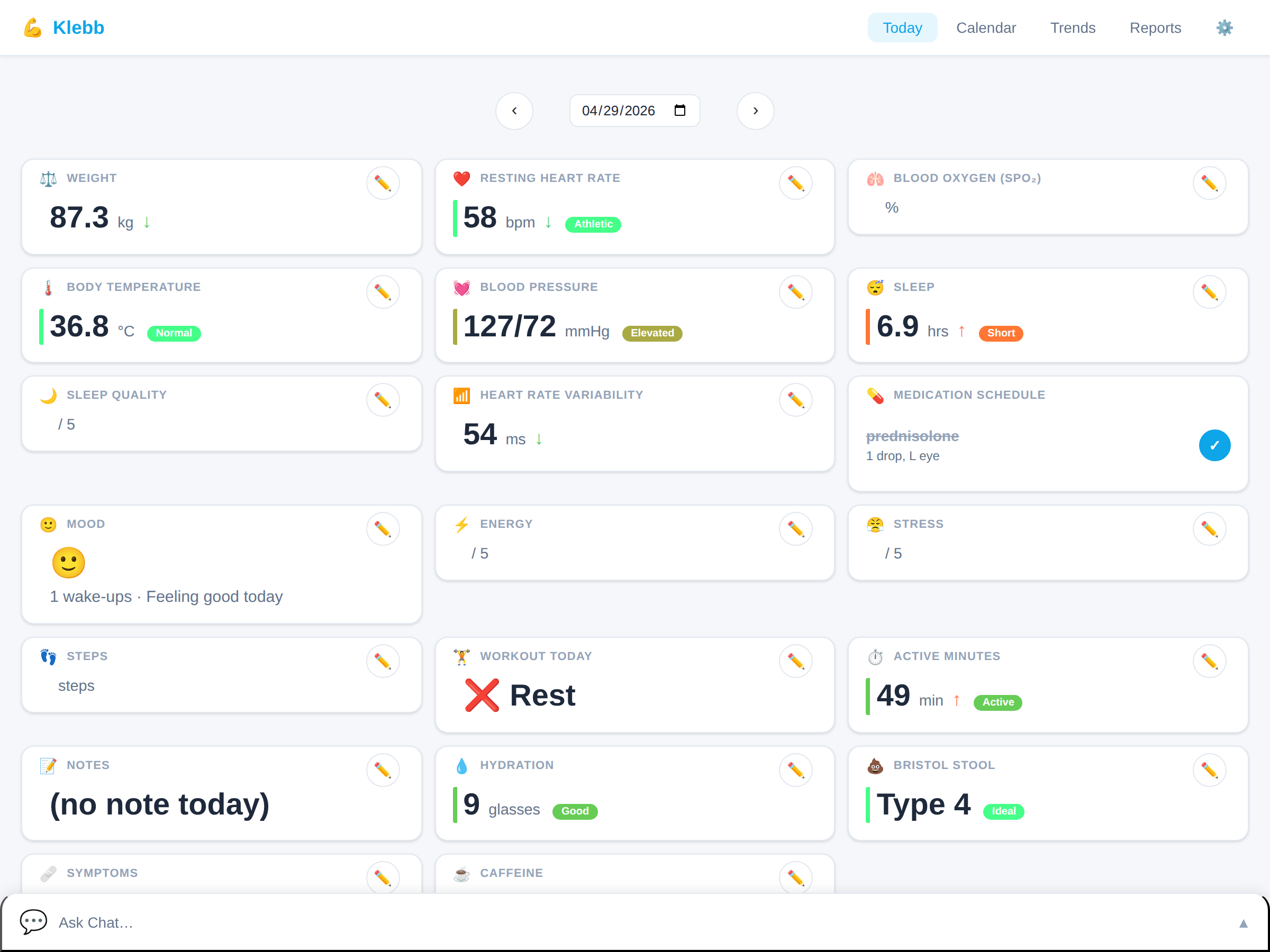
That’s exactly what Klebb does. Every card on the dashboard is a JSON manifest: a meta block defining the schema (what it looks like, what inputs it accepts, what thresholds to colour-code) and a data block holding your history. The server reads files from a folder; the browser picks the right renderer. Want to track something new? Drop a file in. Want to stop? Delete it. Done.
AI-First: Describe It, Don’t Code It
The manifest approach also opened the door to something powerful: AI-driven card creation. You don’t need to learn the schema. You tell the built-in chat agent what you want to track – in plain English – and it writes the manifest for you. All the docs, the schema reference, the recipes cookbook are written so an LLM can read them and produce valid cards without you ever touching JSON.
The same chat agent can read your health data, log entries, answer questions about your trends, and help you manage your regime conversationally. Point it at any OpenAI-compatible backend (local or cloud) and it just works.
What It Tracks (For Me)
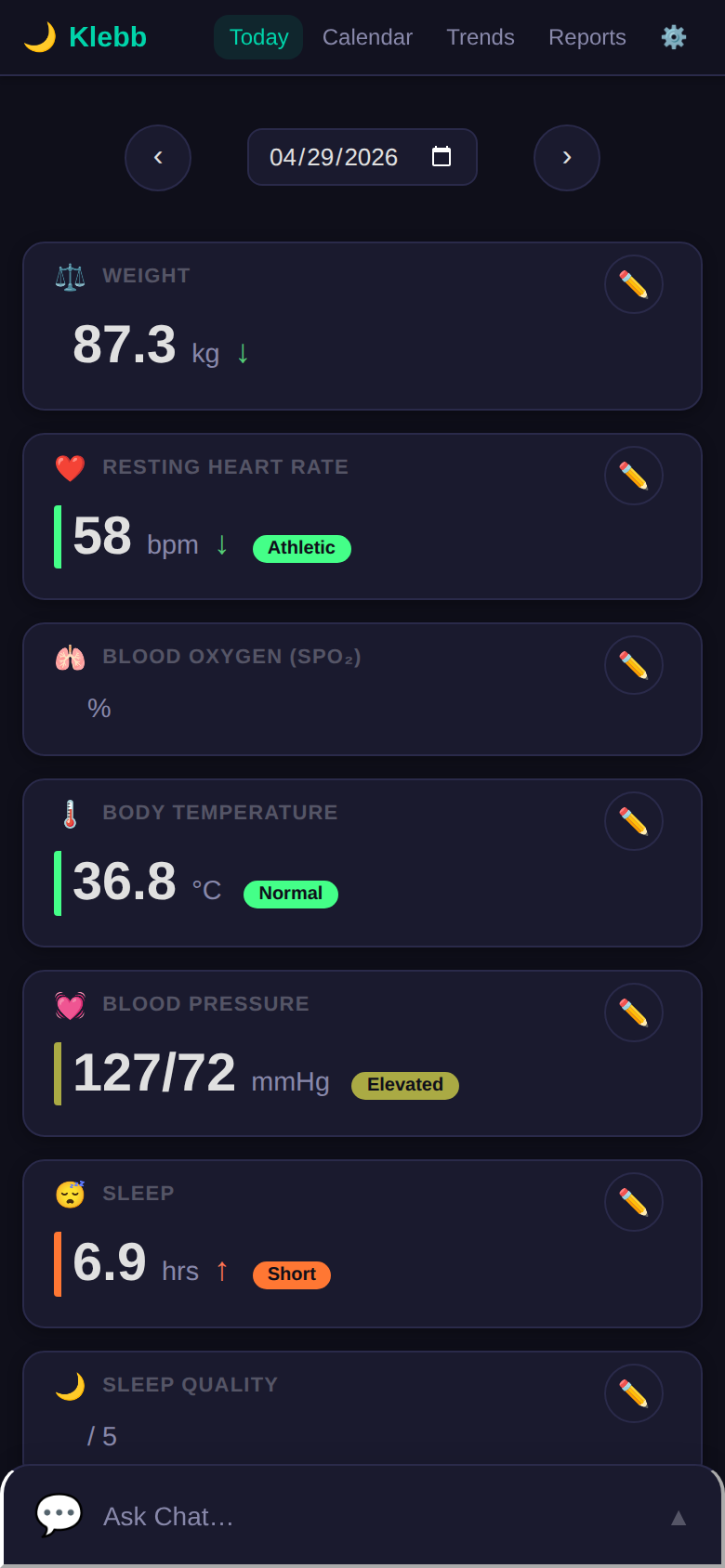
I’m currently using Klebb to track: weight, blood pressure, body temperature, SpO2, mood, sleep (auto-imported from Apple Health), heart rate variability, daily supplements with a checklist, medication schedules with cycle tracking, and blood work results. My iPhone Health and Workout data pipes in automatically. One dashboard, one place to see the full picture.
Trends and Patterns
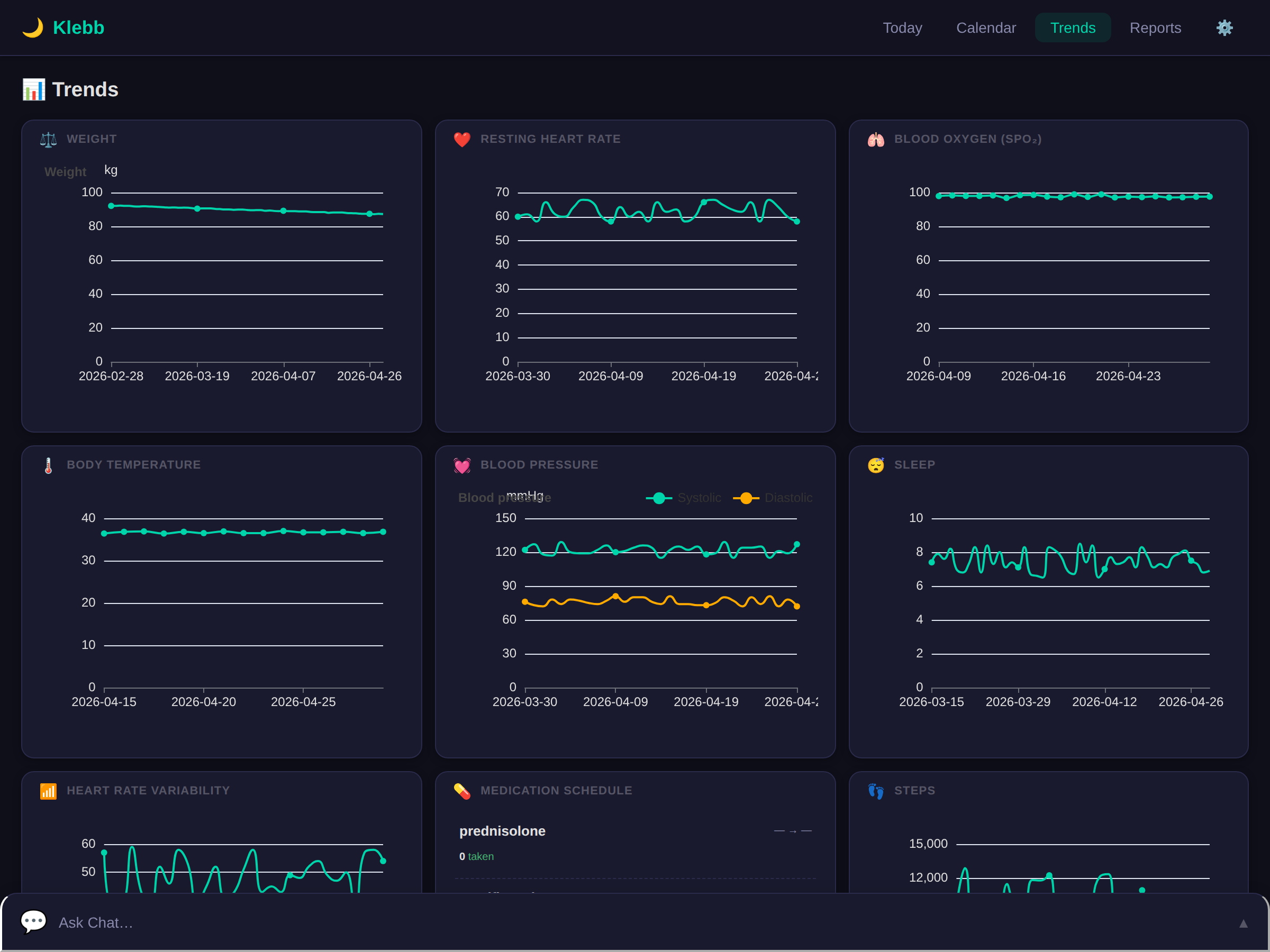
The Trends view is where data starts telling stories. Every card that opts in gets rendered as an interactive chart. Weight over six months. Blood pressure across seasons. Mood correlating with sleep quality. The Calendar view renders a heatmap so you can spot patterns at a glance – streaks, gaps, things you’d never notice scrolling through a list.
Self-Hosted, No Compromises
Klebb runs on your hardware. Your health data never leaves your machine. No cloud service, no account to create, no third-party with access to your information. Need multiple people? Each person gets their own instance with their own data directory and their own WebAuthn passkeys. One Docker container per person.
Family and Friends
This started as a personal tool, but the manifest approach made it trivially easy to spin up instances for other people. My family and a few close friends are now running their own Klebb dashboards – each with completely different card configurations suited to what they care about. Nobody needed me to write code for them. They describe what they want, the AI builds it, and they’re tracking within minutes.
That’s the real power of the manifest system: it scales to different people without any developer involvement.
What’s Next
Klebb is open source (AGPL-3.0) and actively developed. The full feature list, tech stack, and documentation live on klebb.app.
I’m also building Garnik – a self-hosted medical records manager for family caregivers. It came from the same place: my dad had a medical episode, and suddenly I was juggling specialist letters, imaging reports, blood results, medication lists, and carer notes across a dozen providers. Garnik handles all of that in one place with AI-assisted document ingest and a manifest-driven UI. It may also become fully open source down the track.
If you’re the kind of person who wants to own your health data and track things your way, give Klebb a spin.
Klebb is not a medical device. It’s a personal tracker for people who want full ownership of their health data. Self-hosted means you’re the data controller – no cloud, no third parties, no compromises.